Case study · PrepayPower
Experience redesign
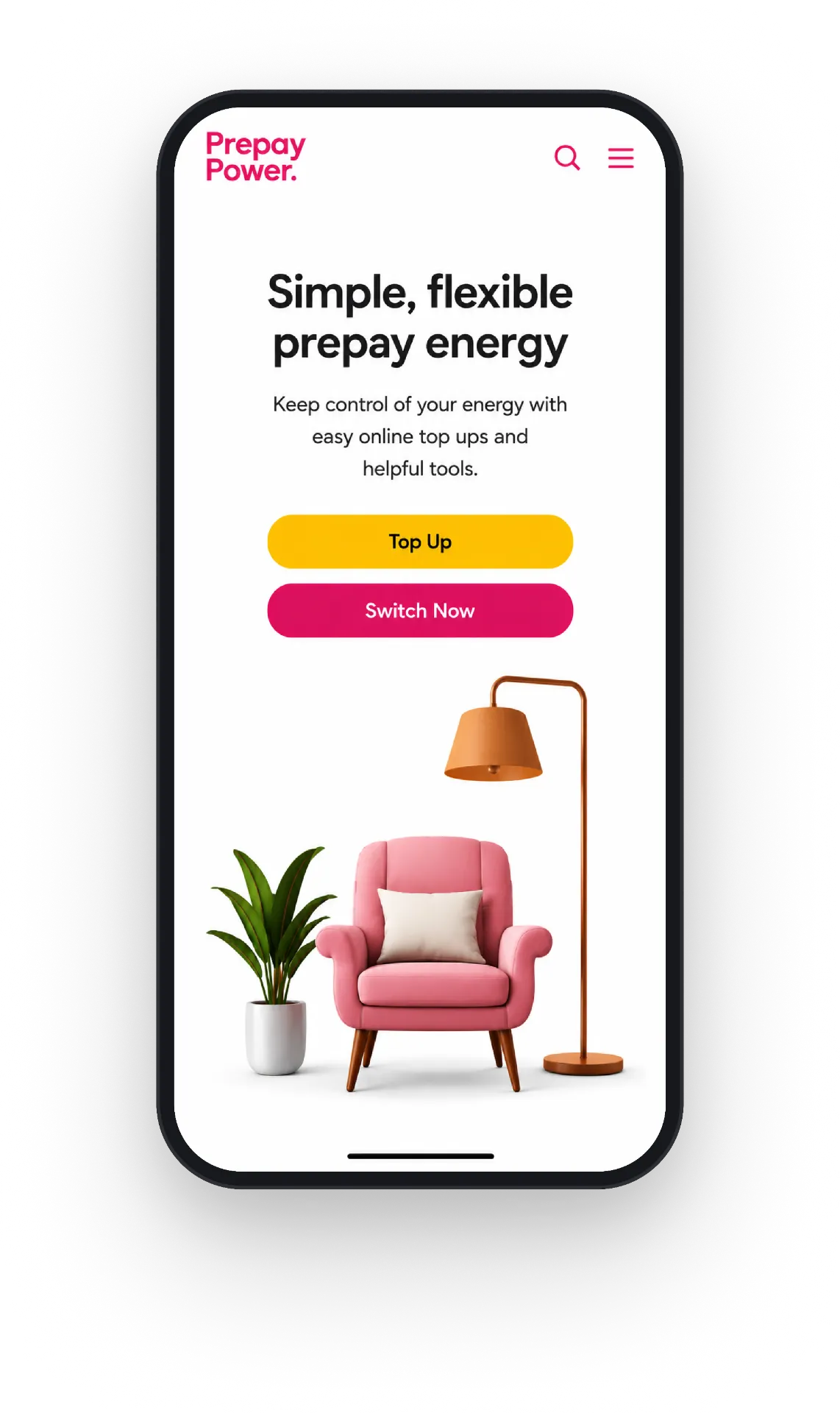
Making prepay energy simple to switch to, top up and manage.
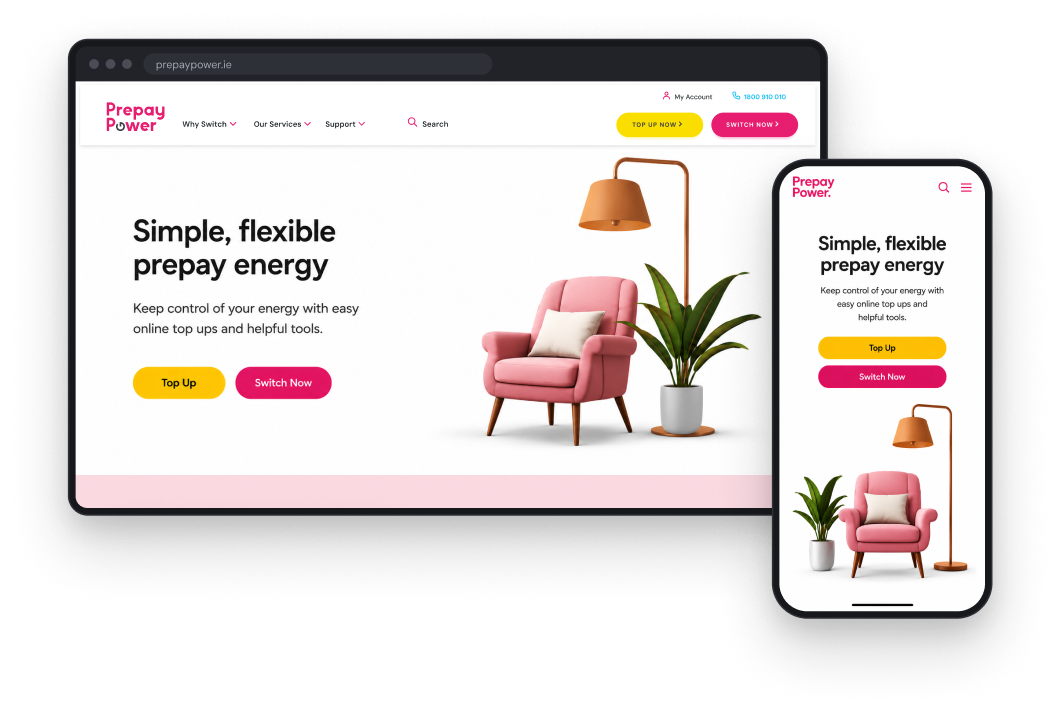
- Company
- PrepayPower
- Agency
- DEPT
- Goal
- Win new customers; keep top-up simple
- Role
- UI/UX designer
The challenge
Four commercial jobs, one customer experience
Energy shouldn't feel this complicated.
- 01Win new customers through switching
- 02Grow adoption across electricity, gas, dual fuel and broadband
- 03Keep top-up simple for ongoing pay-as-you-go revenue
- 04Reduce avoidable calls through self-service and better routing
12% / 14%
of Irish electricity and gas customers switched supplier in 2023. A competitive market to acquire in.
CRU, Energy Monitoring Report 2023
Existing app · not built by us
The website worked alongside an existing app
The app already handled account management and most top-ups. The website's job was to explain it and send customers to it, with a "Top up on our mobile app" prompt and app store links.
The journey
Customer pathing
Three kinds of visit, two of them one click away from every page.

The header on every page — Top Up Now and Switch Now always one click away.

Switch — the main driver, in PrepayPower pink
Tap to enlarge

Top up — ongoing revenue, in Classic yellow
Tap to enlarge

Self-serve — cost to serve, in teal
Tap to enlarge
My role
UI-led product design, from user flows to delivery
DEPT · Around one year · UX and UI design
01
UX to UI
Owned the UX and UI: from user flows and journeys through to a coherent, mobile-first UI.
02
Screens, specs & delivery
Designed flows, screens and component states for desktop and mobile, wrote specifications, and supported engineering delivery.
03
Design system
Designed the design system and its components, used by designers and developers.
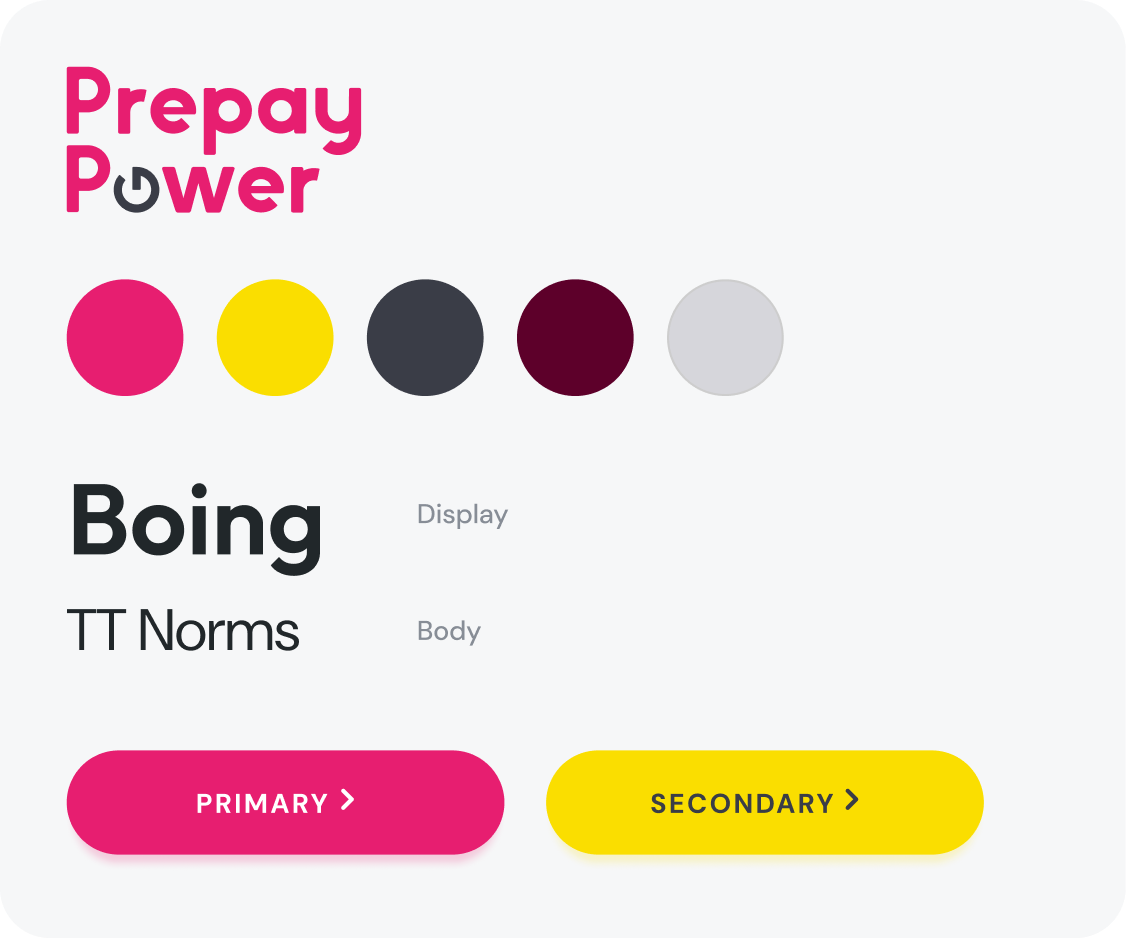
Design system
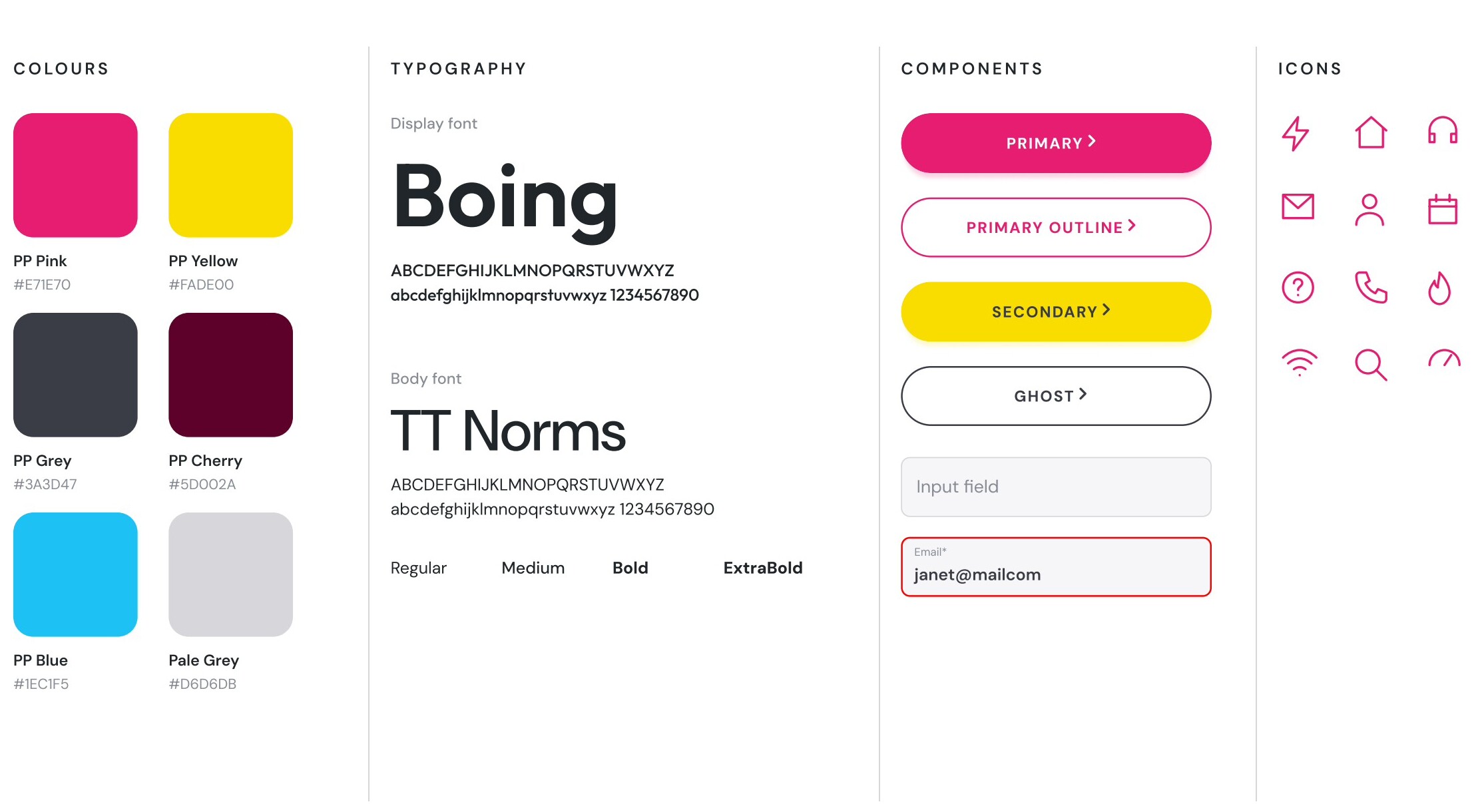
A clear visual language
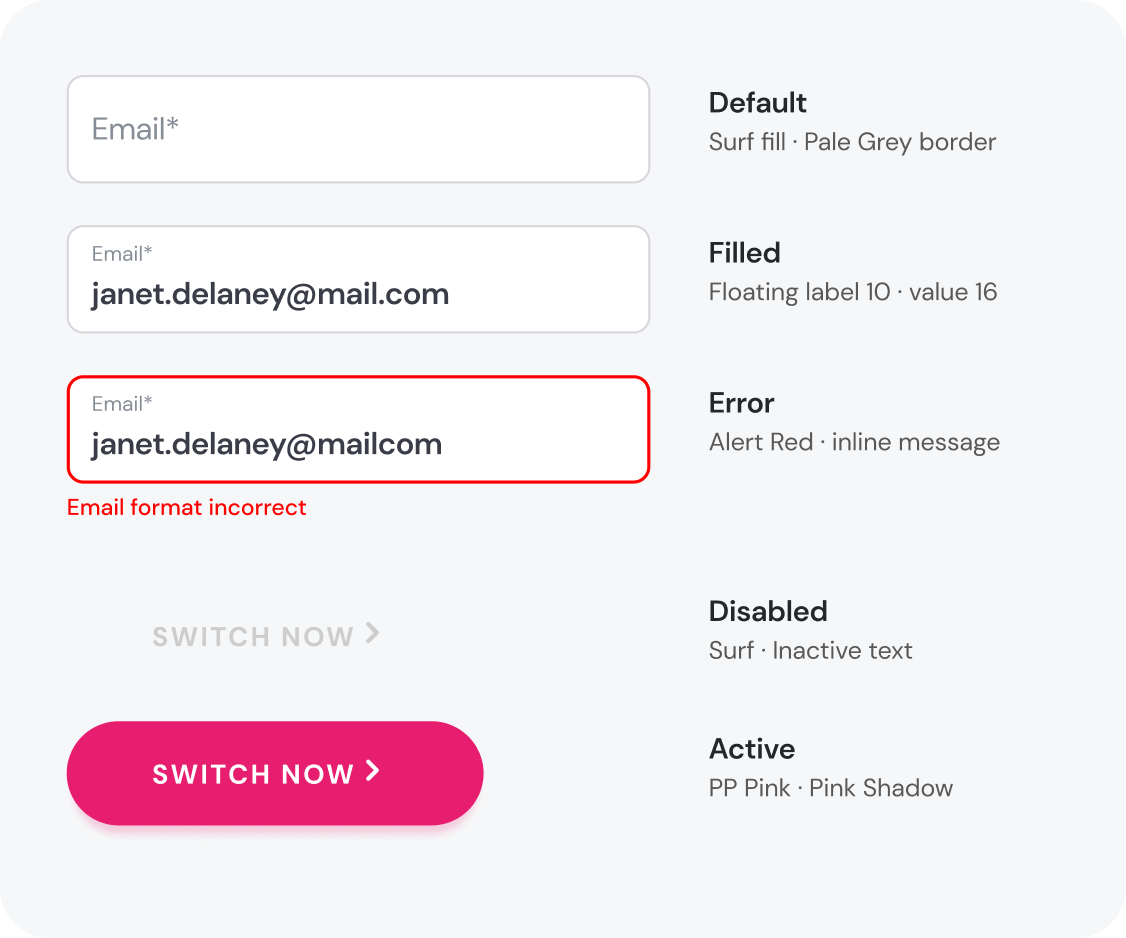
The visual language and reusable UI shared by design and engineering: colour, type, buttons, fields and icons.
Products · growing adoption
One template for every service
Every service page used the same template: the reasons to join with the switch form beside them, the types available, and a row that leads on to the other services. A Classic variant re-themes it in PrepayPower yellow.
Switching · the primary goal
Every page was asked to capture prospects
Switching was PrepayPower's main acquisition goal. The switch form captured prospects, so the client wanted it on every page as well as on a page of its own.
Switch now · mobile
Switching in one short form
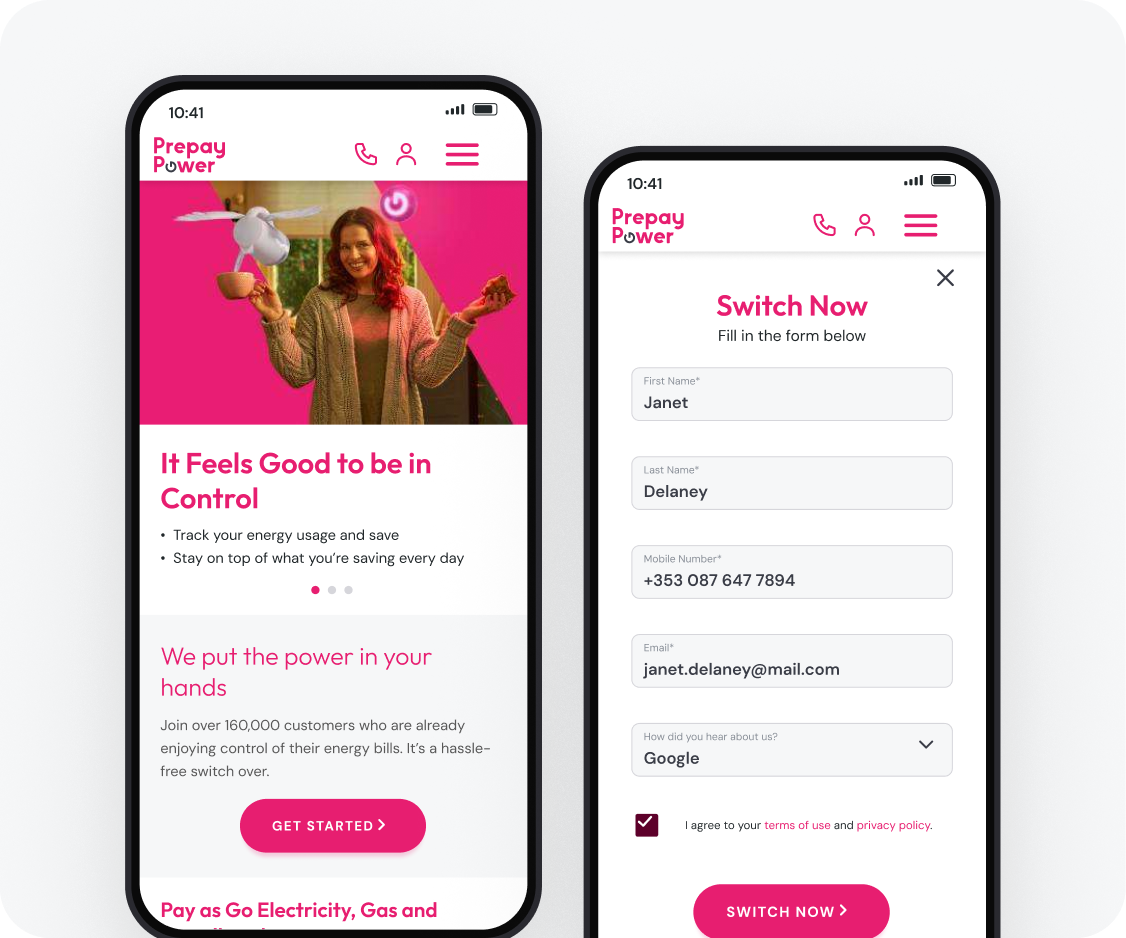
The journey was designed mobile-first, from the homepage through the form to confirmation. Every state was designed too — one field at a time, including empty-submit and format errors.
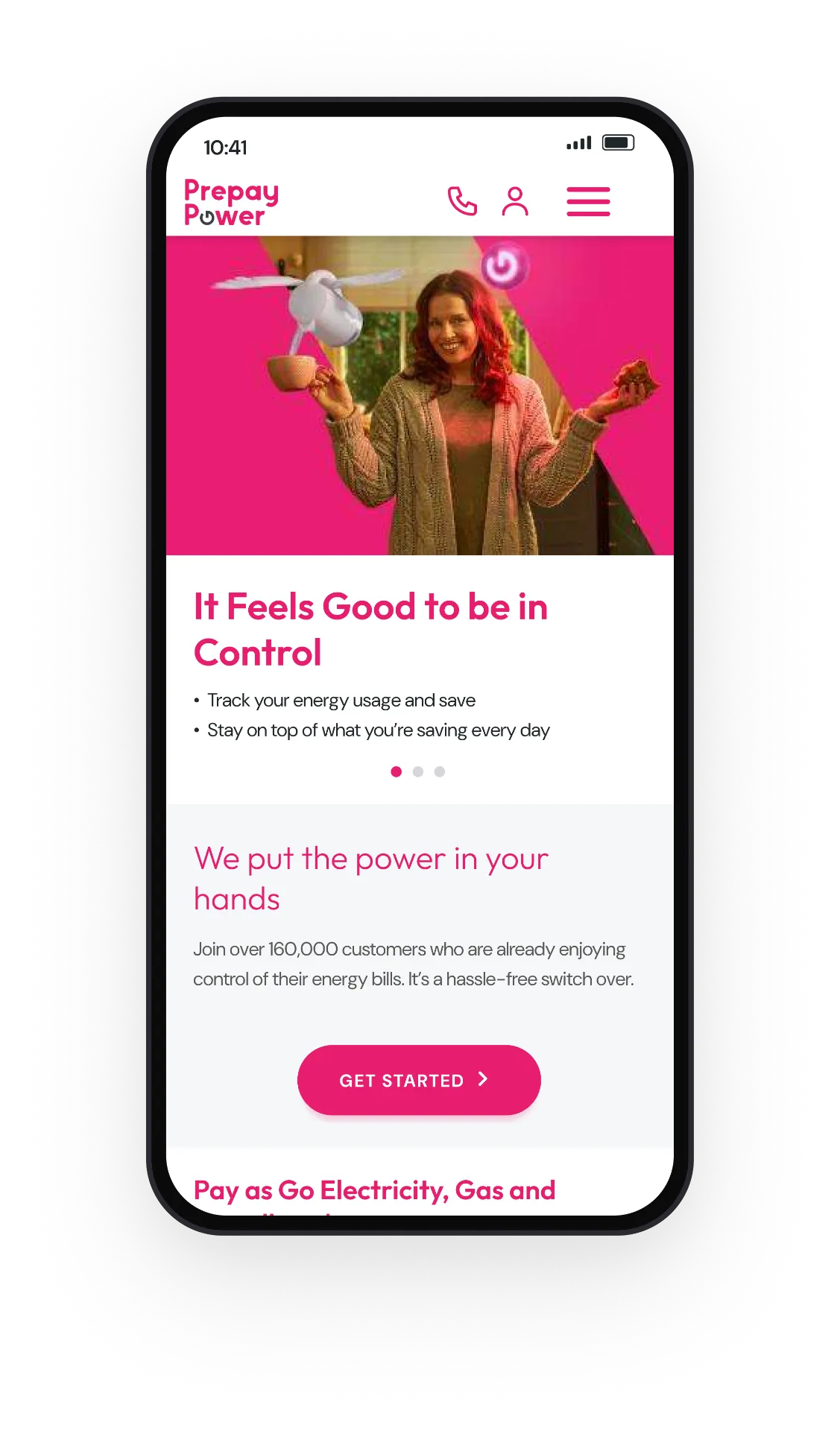
Home — where switching starts
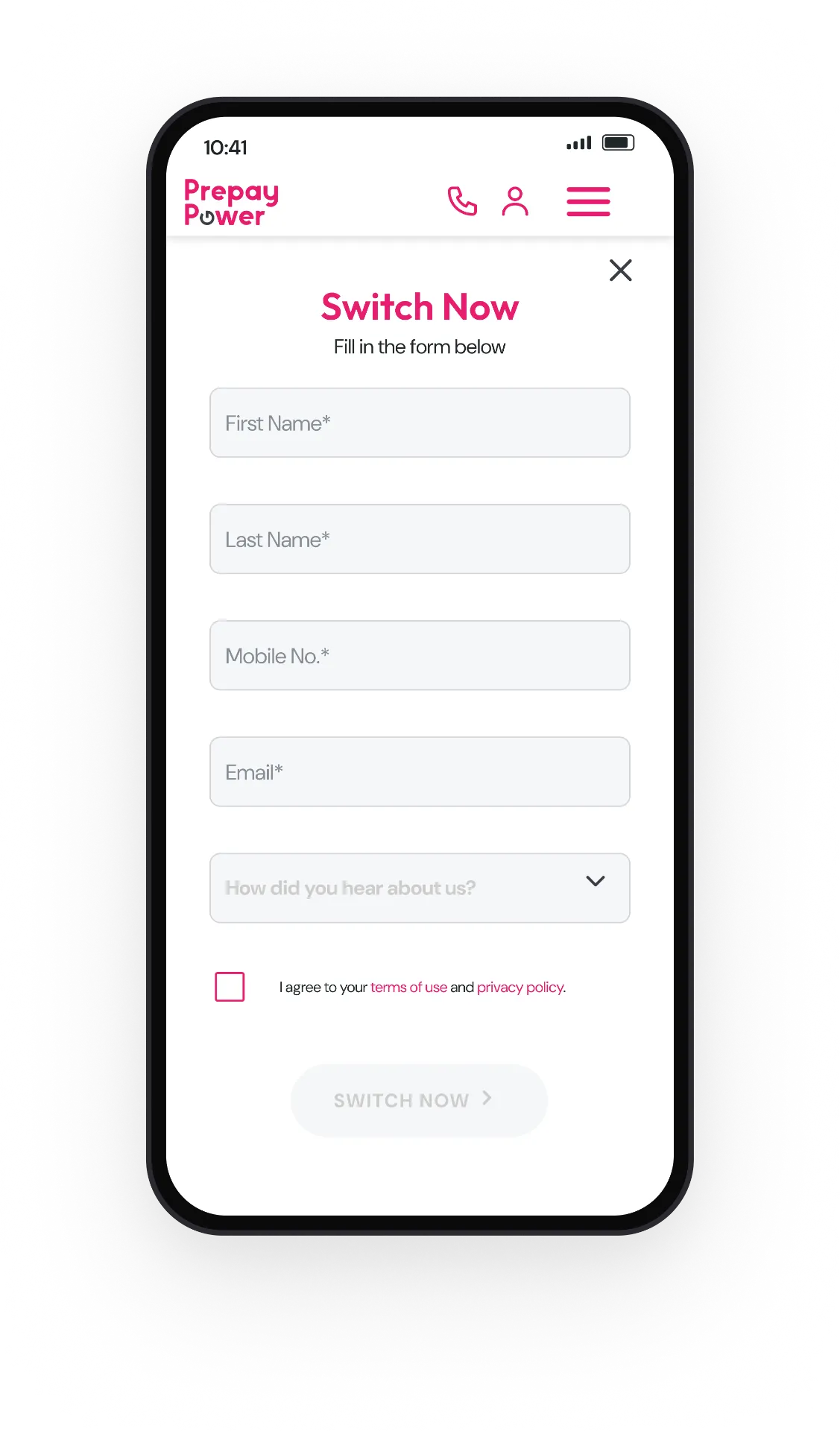
The form, empty
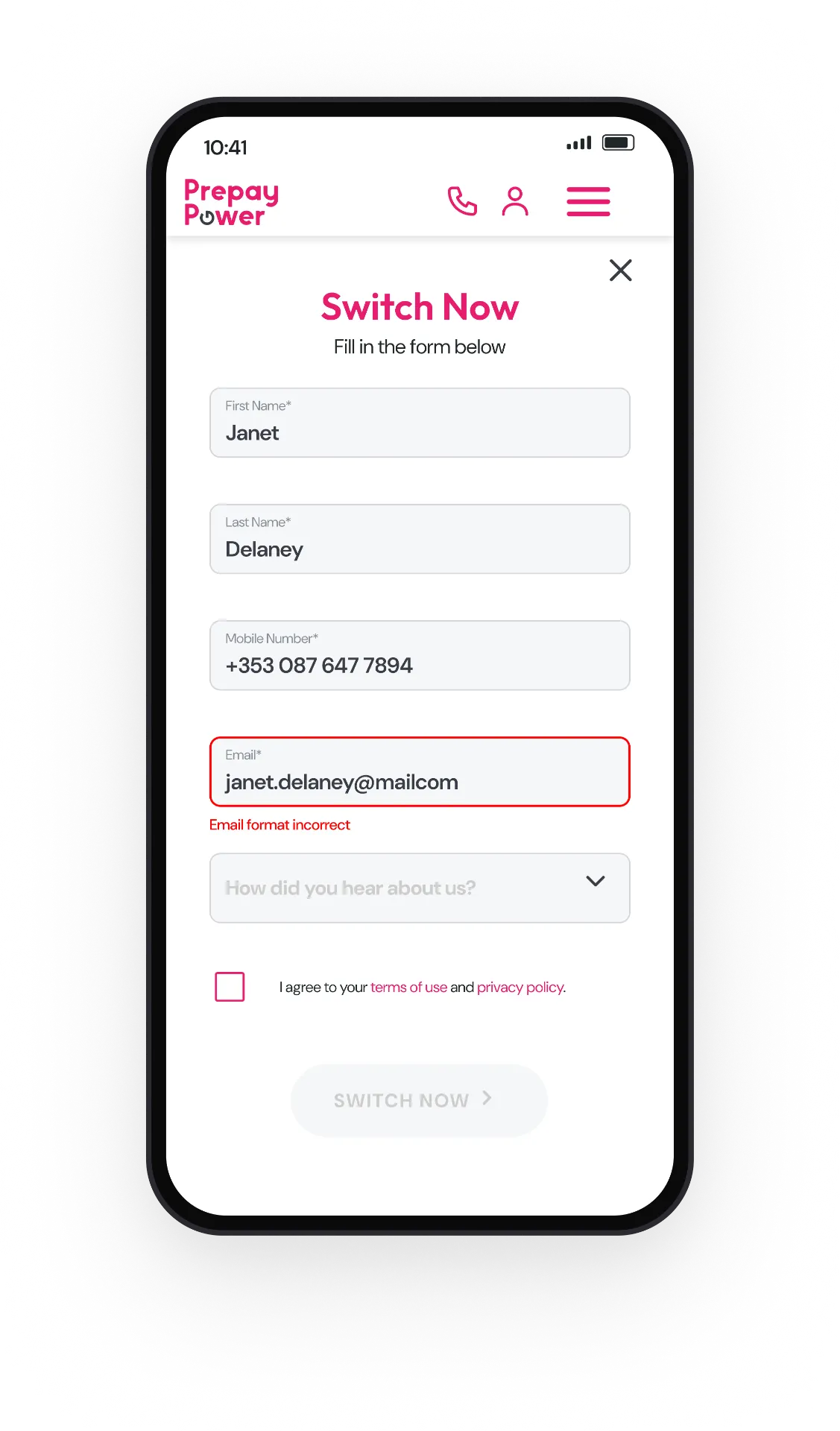
Inline validation — format error
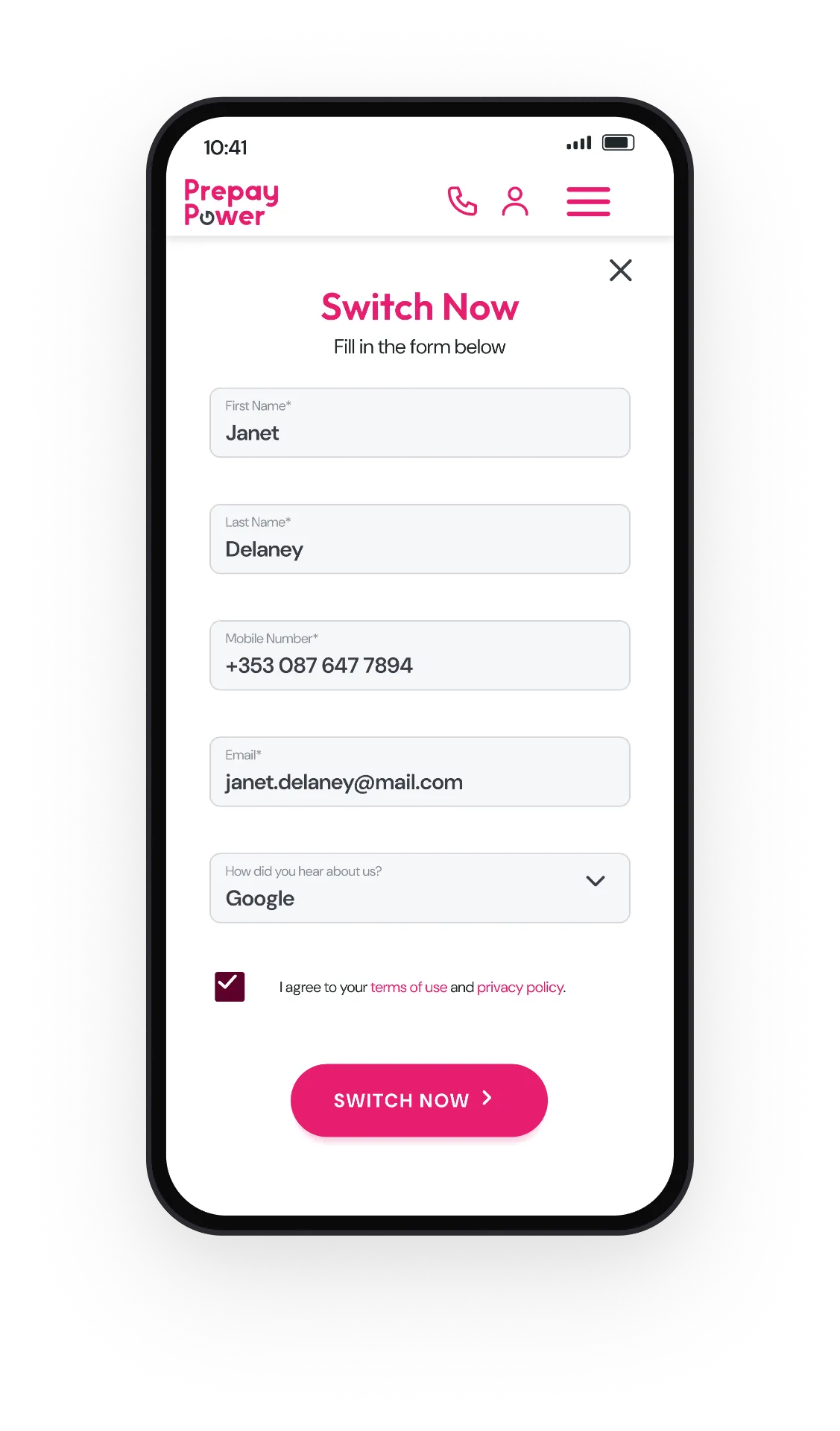
Complete, ready to submit
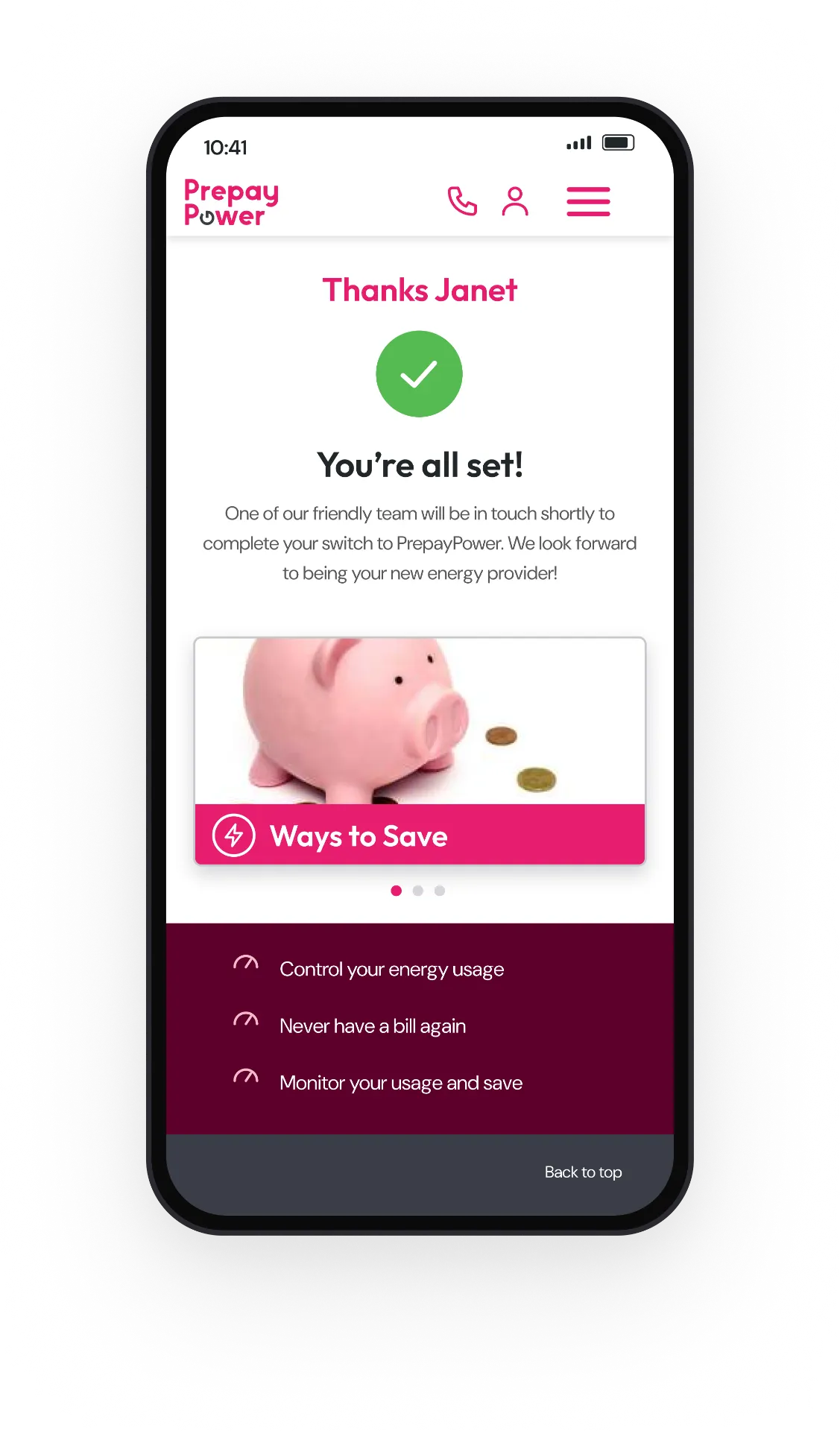
Confirmation — You're all set
Switching · every state
Designing every state of the switch form
Every state of the form, designed one field at a time — from the empty starting point through inline errors to the active submit — not only the ideal route shown in the mobile journey.
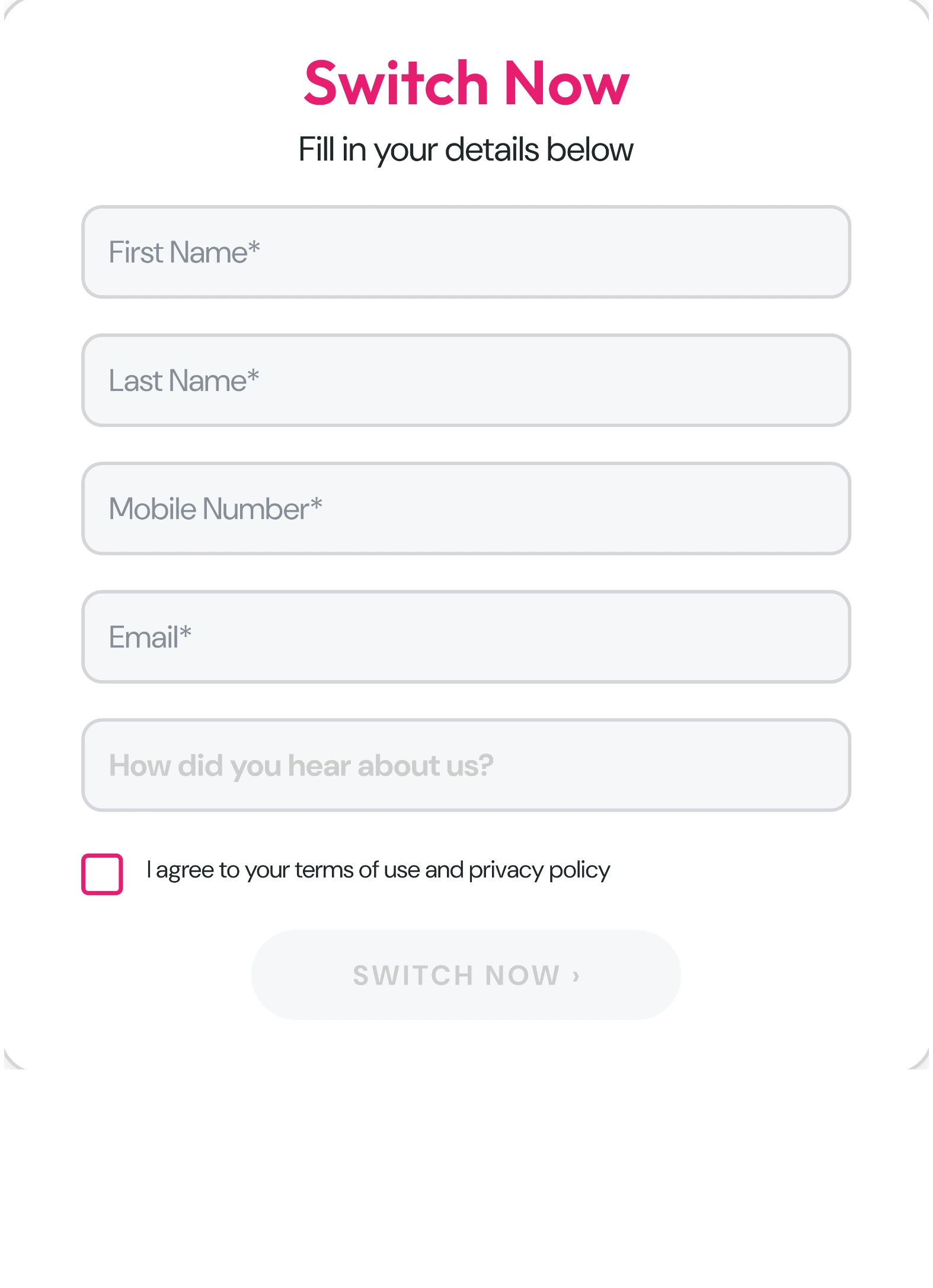
Empty — a calm starting state
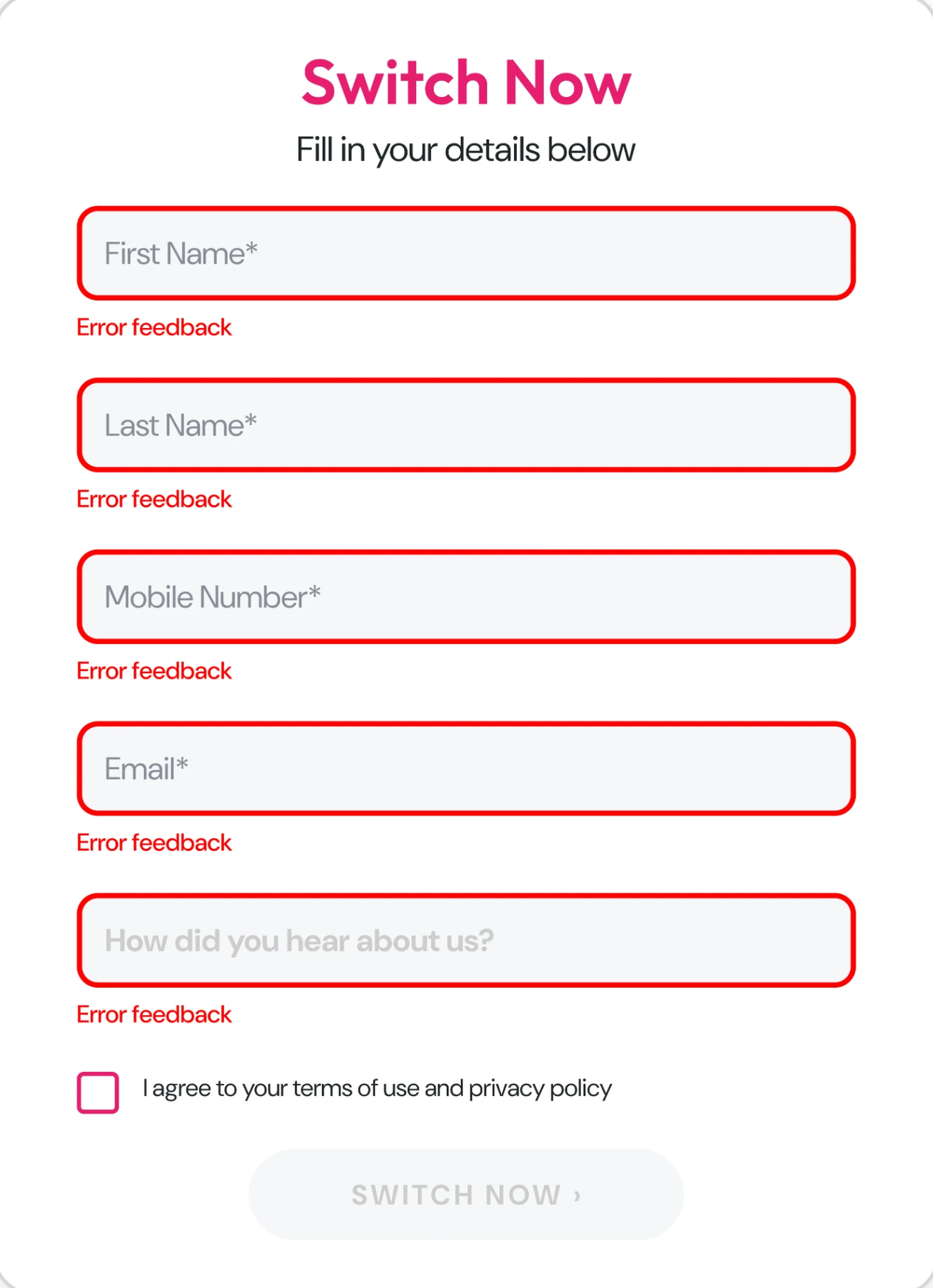
Submitted empty — every missing answer identified
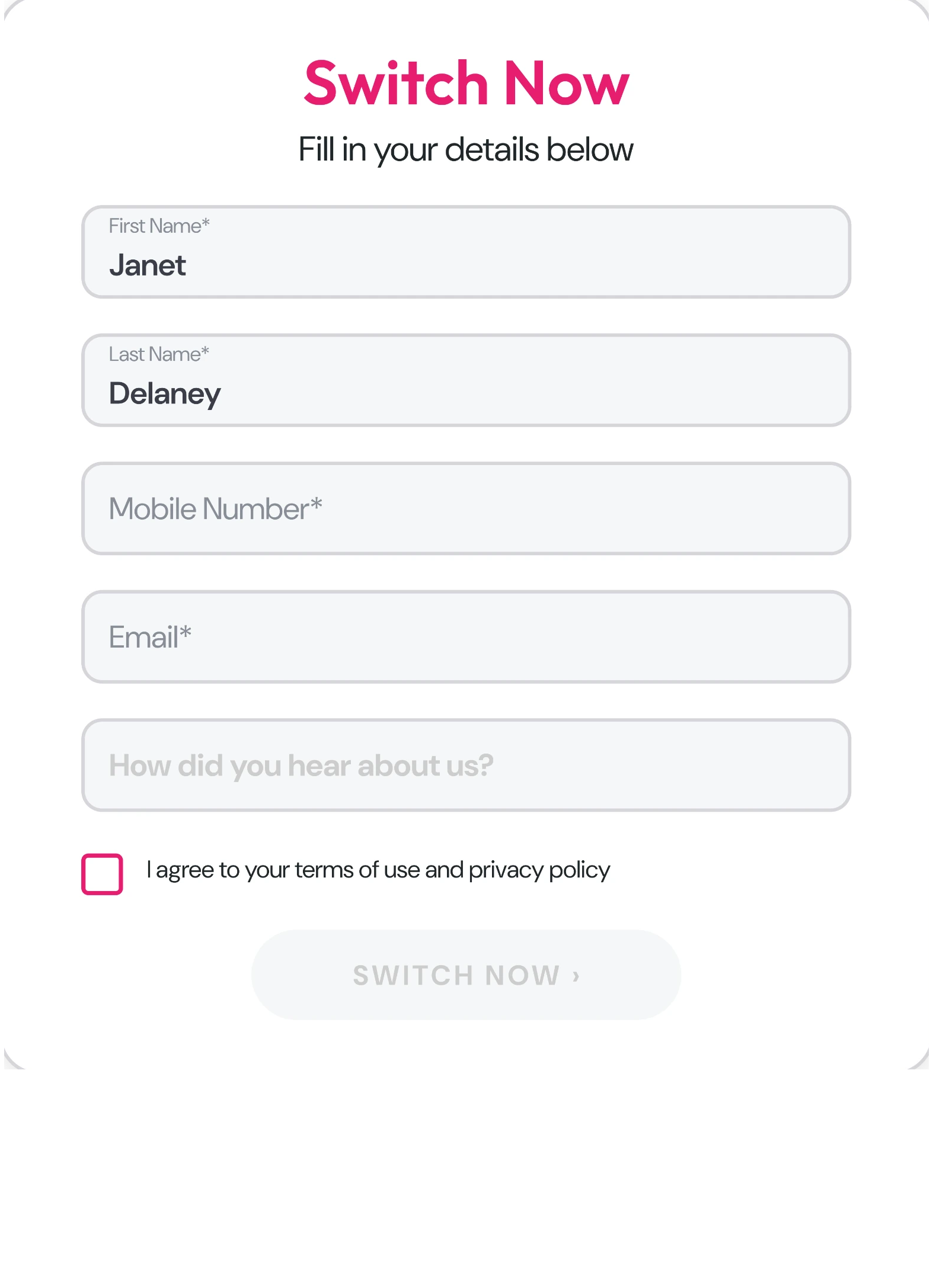
Filling in — labels stay easy to scan
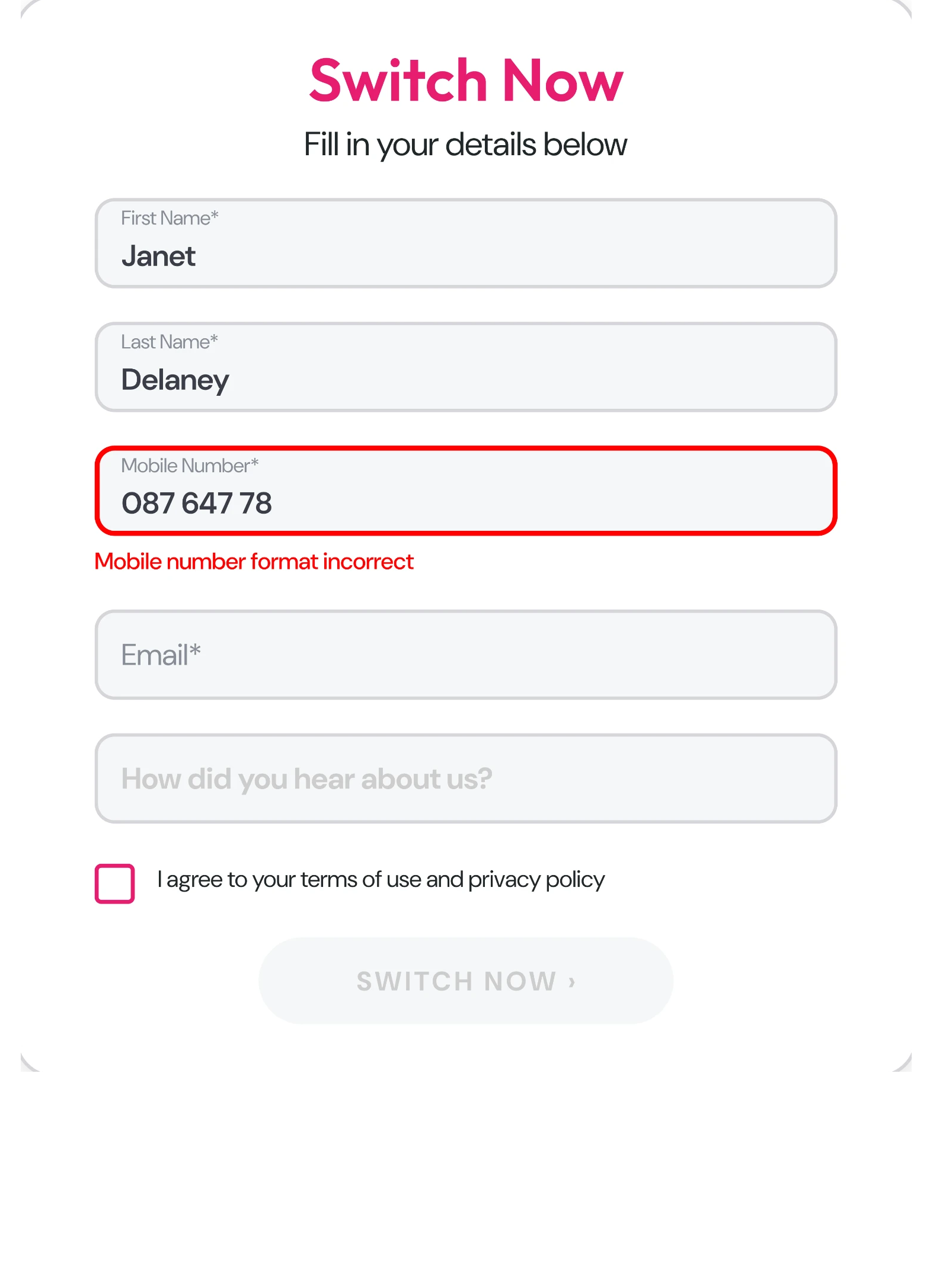
Format error — explained inline
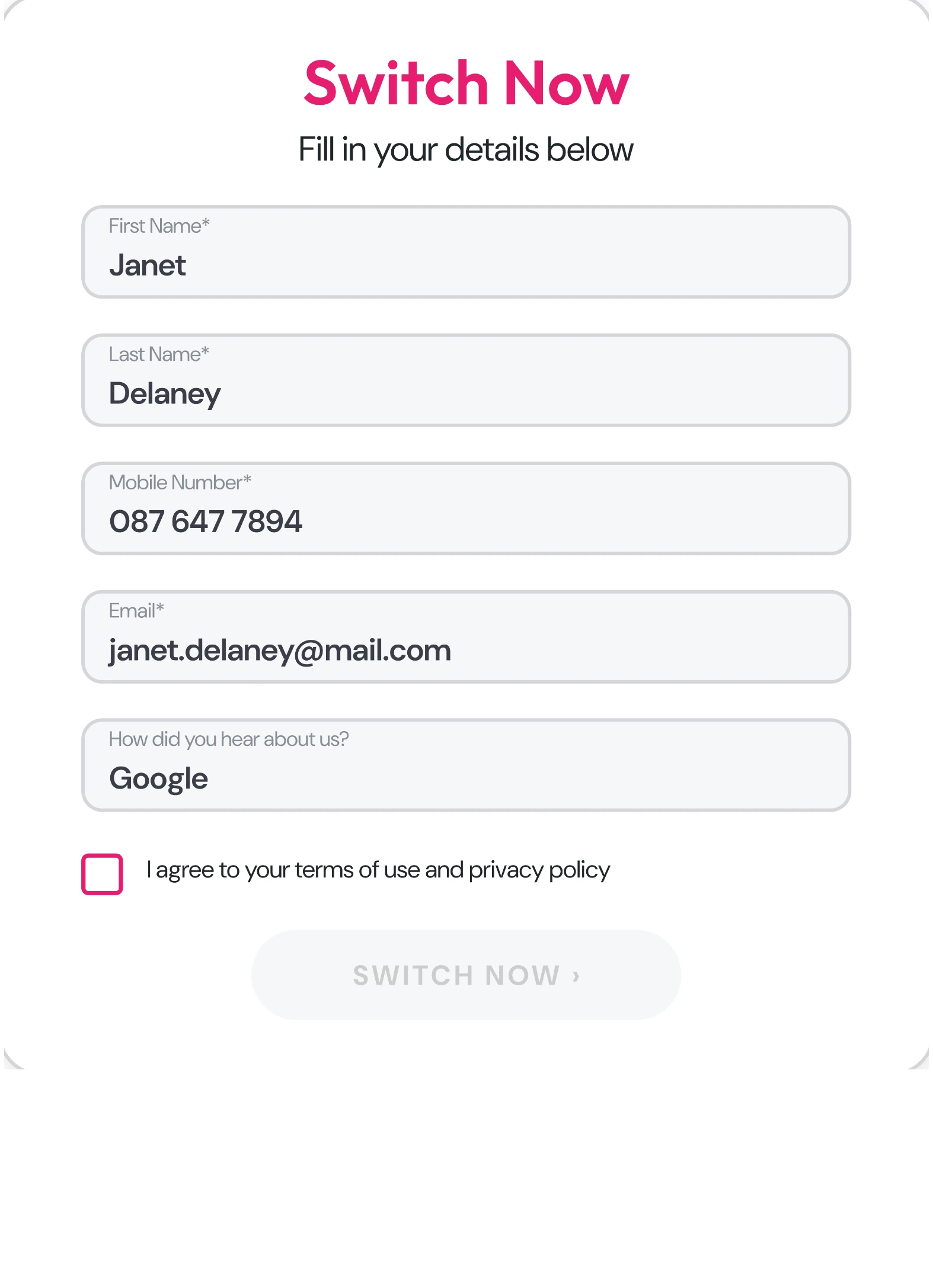
Complete — consent still to give
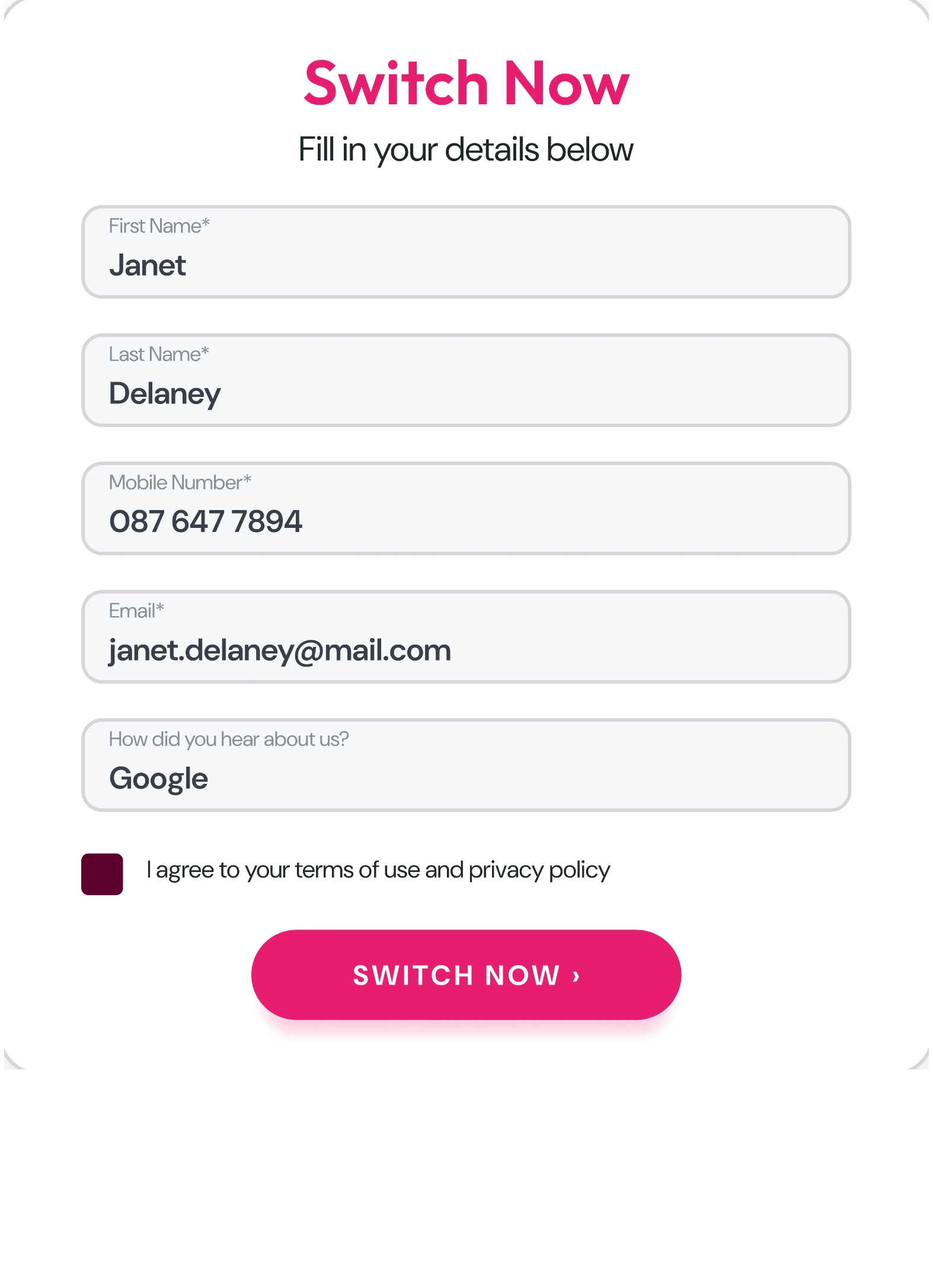
Ready — consent given, submit active
Top-up · the second goal
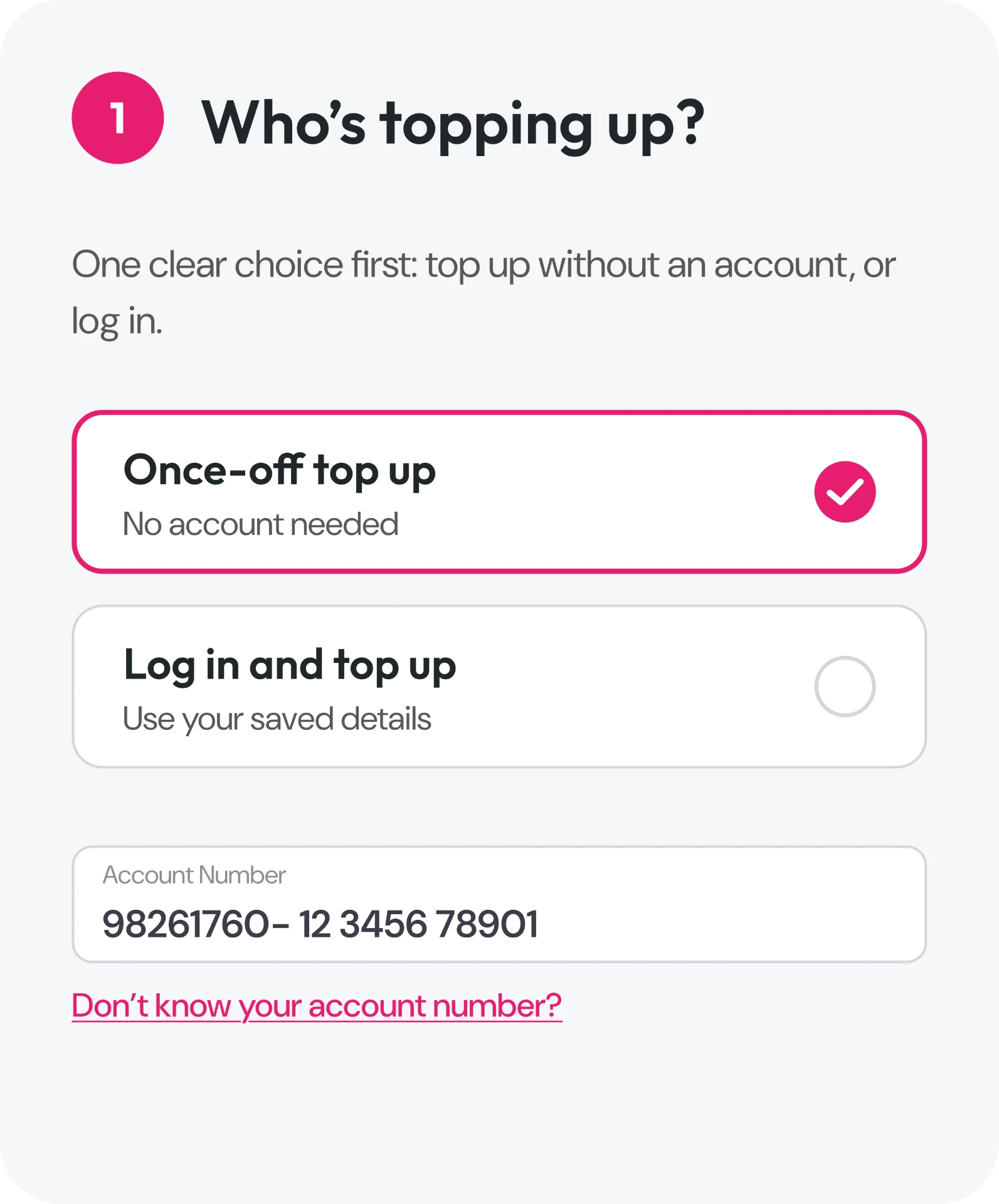
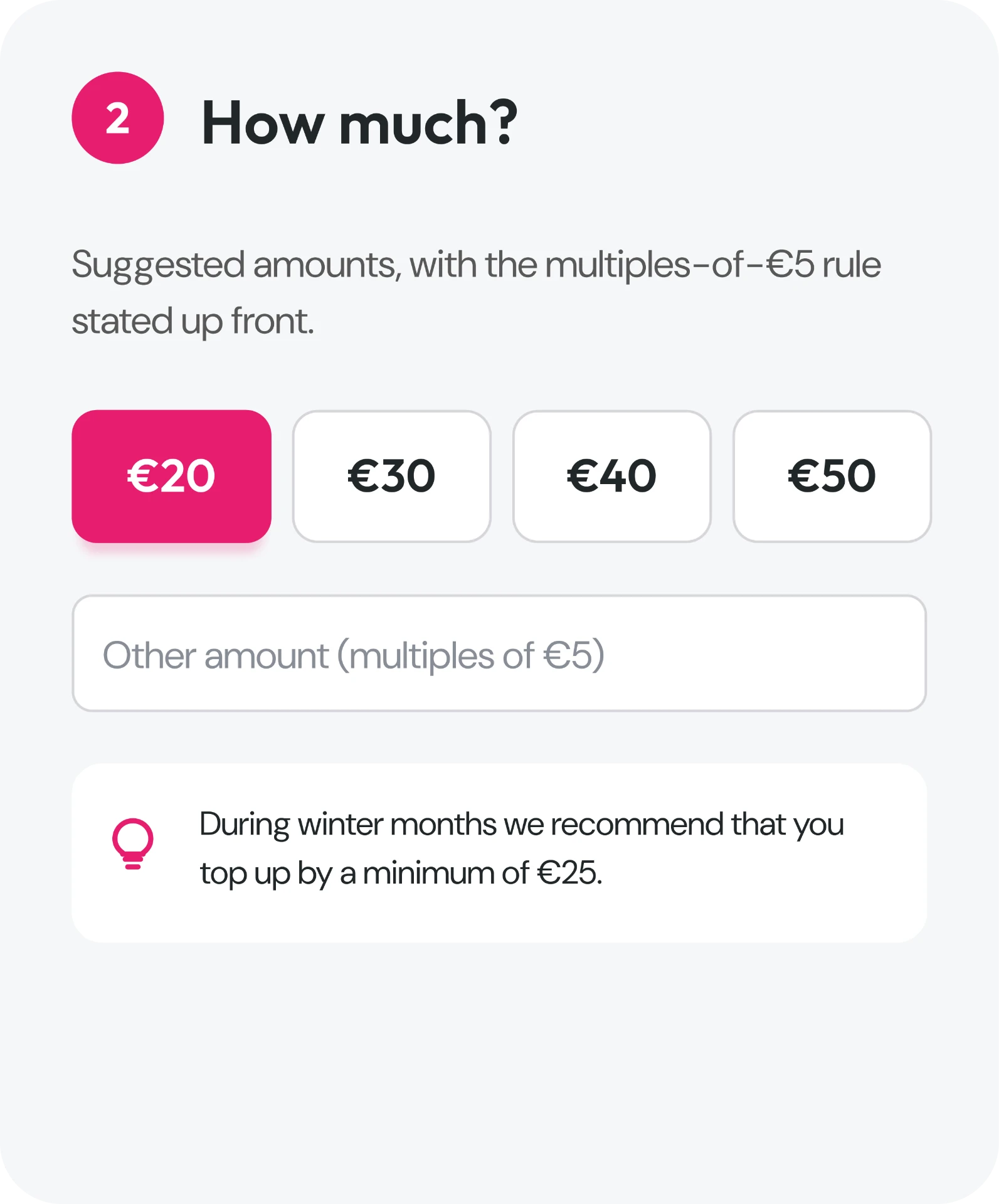
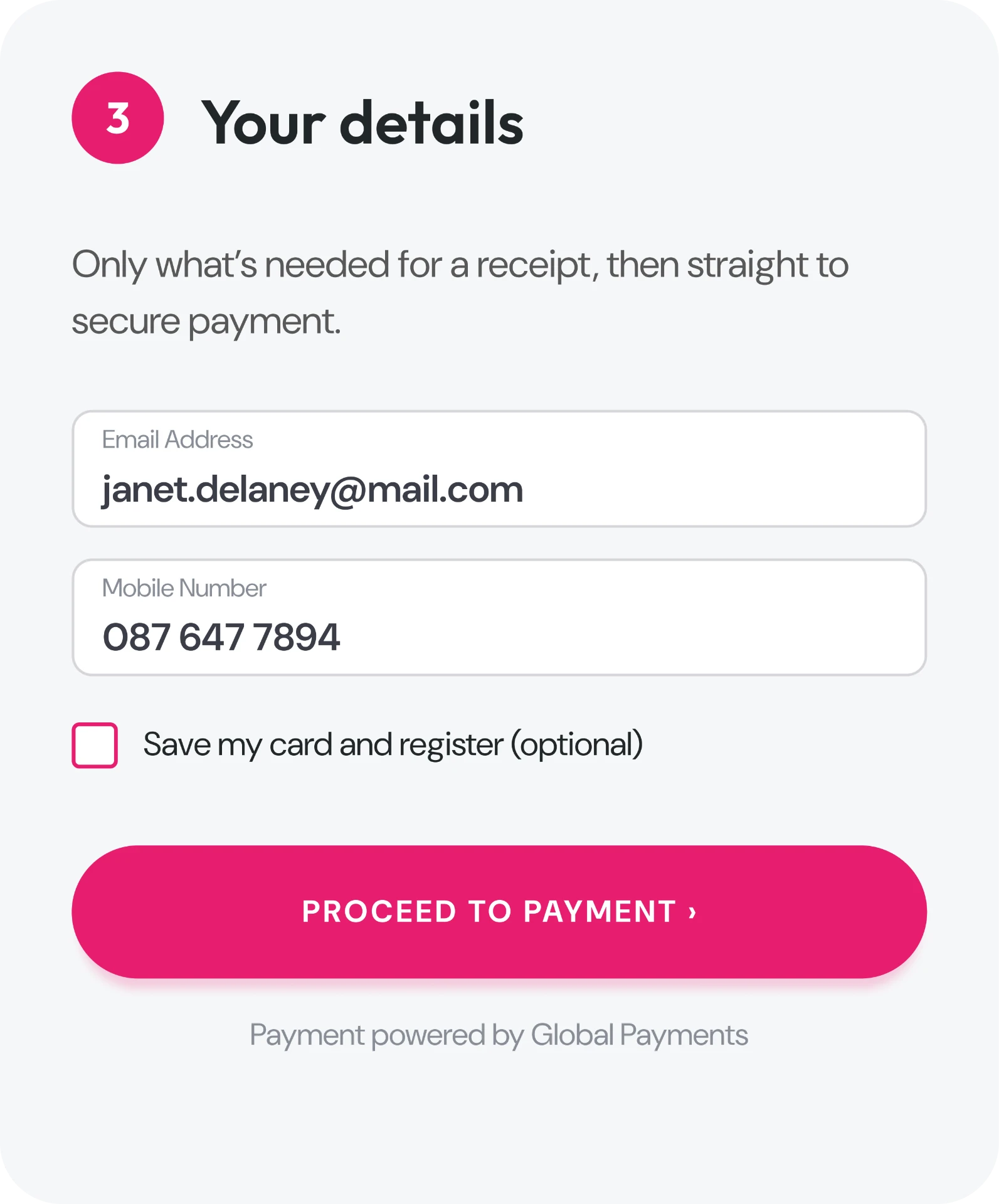
A simpler way to top up on the web
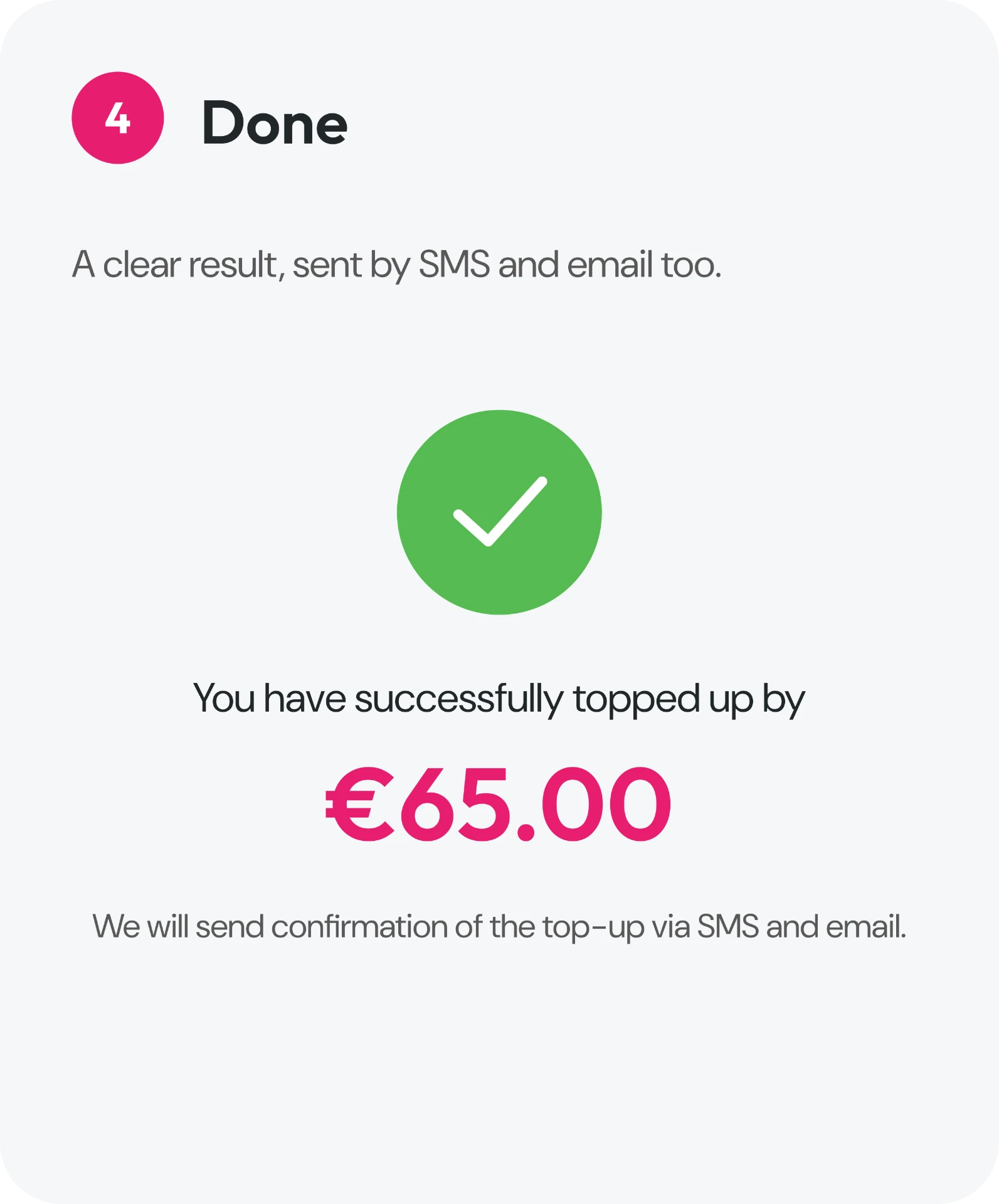
Most customers top up in the app, so web top-up is occasional and often urgent. This is the simpler flow we recommended: four steps — who’s topping up, how much, your details, done.
Top-up · validation and outcomes
Clear answers at every step
The design covered the edge cases: an amount that breaks the €5 rule, then a distinct result depending on the meter type and whether the payment succeeds.
01
Enter amount
€62.50
02
Explain the rule
Multiples of €5
03
Ready to pay
€65
Smart meter
Success
The top-up is confirmed immediately, with confirmation also sent by SMS and email.
Classic meter
Short delay
A Power Code follows after a short delay, with a route explaining how to enter it.
Payment issue
Not successful
The result is explicit and offers a direct route to help with topping up.
Still live today
Once-off web top-up still works without login, in multiples of €5 — with app, online and Payzone outlets side by side.
Contact · proposed design
One page, every route to help
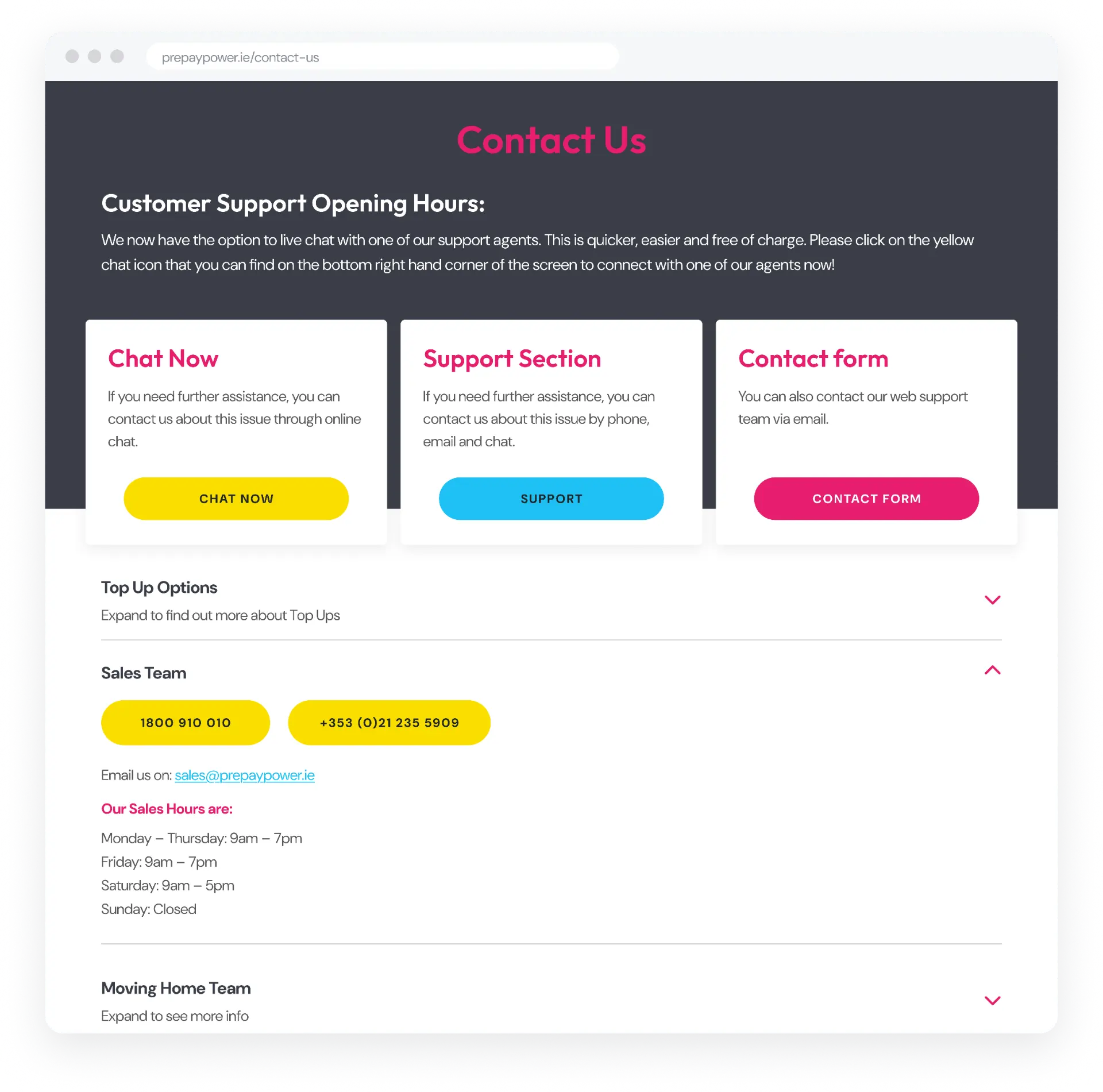
Self-service was a cost-to-serve concern as well as a customer one: resolve common issues online, keep agents for complex needs, and send each customer to the right team. Our proposed Contact page made live chat, self-service, the contact form and every specialist team visible early.
What shipped
Sort first, then one route
The shipped page sorts each enquiry first: existing customer or prospect, then a reason. That is a legitimate way to manage call volumes and cost to serve. The customer-experience cost is two choices before any contact options appear.
- Proposed
- Three routes and eight team panels visible on arrival
- Shipped
- Contact details appear only after two choices
Outcomes
Business context and continued use
Customer growth is the company's story, not the design's proof — what demonstrates this work's longevity is that these designs are still in use today.
Company context
150,000+ → 200,000
Customer growth between 2019 and 2023, independent of the redesign. 180,000+ households today.
Company context
4 services
Electricity, gas, dual fuel and broadband — the product range kept growing.
Continued use
No login
The once-off web top-up is still live, running alongside app, online and Payzone routes.
Continued use
Still live
The support hub and routed Contact page remain in use — self-service first, then the right team.